


|
Name |
Sadx FreeStyle |
|---|---|
|
Google Play Link |
GET IT ON
Google Play
|
|
Category |
Tools |
|
Developer |
Lunexa Studios |
| Last version | 1.5.0 |
|
Updated |
|
|
Compatible with |
Android 8.0+ |
Introduction to Sadx FreeStyle APK
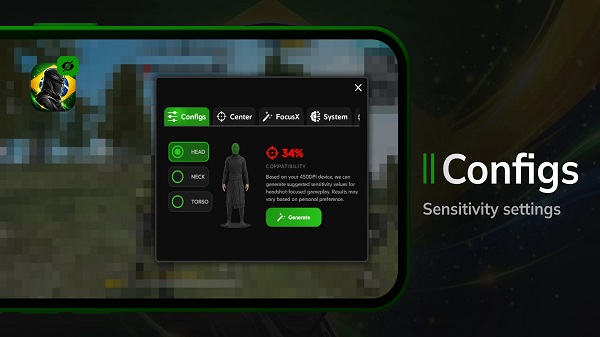
Sadx FreeStyle APK is a gaming utility app built for players who want quicker control over sensitivity settings and a cleaner view of useful on-screen information. It works as a lightweight assistant rather than a full game, giving users a small floating panel with tools that support setup and practice during play.
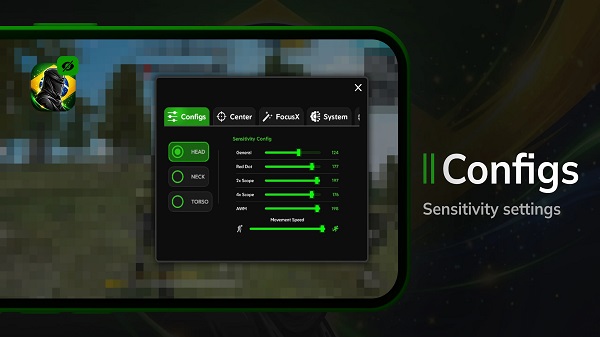
Its main job is simple. It suggests sensitivity values based on a selected style such as high, medium, or low, then leaves the final adjustment to the user inside the game. That makes it useful for players who want a starting point instead of guessing every setting from scratch. For Free Fire players in particular, this can save time when testing aim speed and scope movement.
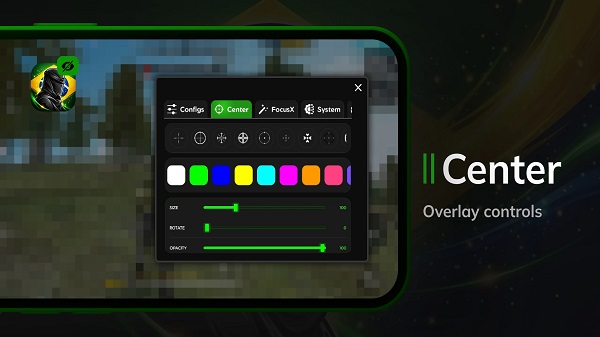
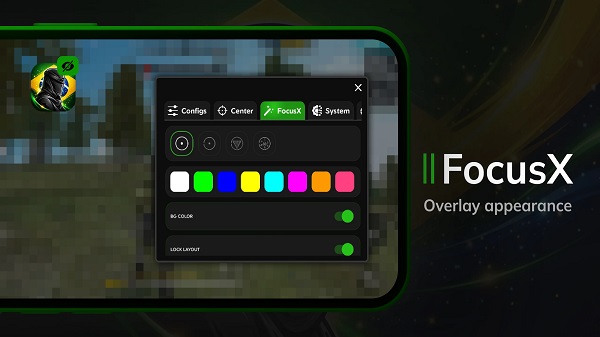
One of its most noticeable features is the static crosshair overlay. This overlay stays on screen as a visual guide and can help with aim training, especially during hip-fire practice or quick match testing. It does not press buttons, move controls, or change how the game works. The user can switch it on or off whenever needed, which keeps the setup flexible and easy to manage.
Sadx FreeStyle also shows device information such as FPS, RAM usage, and battery temperature. That sounds small, but it is pretty handy when a phone starts heating up or frame rates begin to drop in the middle of a session. Instead of jumping through multiple menus, players can check basic performance data from one compact panel and decide if they need to lower graphics or take a short break before the phone turns into a toaster.
A big advantage of the app is convenience. It keeps core tools in one place, runs with a light footprint, and does not ask users to deal with a complicated interface. The layout is straightforward, so even newer players can understand it quickly. Still, it has limits. The sensitivity values are reference suggestions, not guaranteed perfect settings, so users still need to test and fine-tune them manually. The crosshair is also only a visual aid, which means players looking for deep customization or advanced automation may find it too basic.
This app fits players who like tweaking their controls, checking phone performance, and keeping setup tools close by while playing shooters such as Free Fire. It is most useful for casual players, ranked grinders, and anyone trying to build a more comfortable sensitivity setup without wasting too much time on trial and error. People who want a simple helper with clear functions will probably get the most value from it.
FAQs Sadx FreeStyle
What is Sadx FreeStyle APK?
+
Sadx FreeStyle APK is a gaming utility app that gives players sensitivity suggestions, a static crosshair overlay, and basic device stats like FPS, RAM use, and battery temperature.
What is Sadx FreeStyle used for?
+
It is used to help players adjust sensitivity settings faster, keep a visual crosshair on screen, and monitor phone performance while playing games such as Free Fire.
Does Sadx FreeStyle change gameplay automatically?
+
No. The app provides reference tools only. Users still enter sensitivity values manually, and the overlay remains a visual guide without controlling the game.
Who should use Sadx FreeStyle?
+
It suits players who want a simple helper for aiming setup, quick performance checks, and easier testing during matches without dealing with a complicated tool.
What are the downsides of Sadx FreeStyle?
+
Its presets are only starting points, so users must still test settings themselves. The overlay is basic, and players wanting advanced options may find the app limited.
Discover More Interesting Apps
-

Sanchar Saathi
v1.6.0
29.96 MB
Updated -
Mod
Terabox
v4.22.0
201.95 Mb
Updated -
App Lock
v6.3.3in
86 MB
Updated -
Mod
DiskWala
v24.2
141.12 Mb
Updated -
Mod
Redfinger
v1.9.14.55
126.43 Mb
Updated -
aShell
vv0.28
2.00 Mb
Updated -
Hik Connect
v6.13.811.0727
337.59 Mb
Updated -
PDF Editor
v6.1.5
61.31 Mb
Updated -
Mod
Unlock-r
v1.3
12.14 Mb
Updated -
90 FPS
v13.4
15.85 Mb
Updated










Share Your Thoughts